DevOps-Insights
wonderpod & environment builder
or
how to configure wonderful environments

checkout envbuilder repo
# clone Environment Builder
git clone git@gitlab.scanplus.de:dev/tools/environment-builder.git
cd environment-builder
create a new branch for your env
env.yaml:
name: BLU-321-testing             # name to identify env
projects:                         # dict of projects and their refs
  - dev/AidaPortal: "BLU-321"     # specific projects
  - group/blu: "BLU-321,release"  # groups projects for frequently
                                  # used combinations

scanplus_env: dev                 # an env-type. could also be 'qa'
target_clusters:                  # clusters to deploy onto.
  - os4-ulm
main -> MR Pipelines will create the env
wonderpods, a cli wrapper for environment-builder:
# clone Environment Builder
git clone git@gitlab.scanplus.de:dev/tools/environment-builder.git
cd environment-builder
# create virtualenv and activate
python3 -m venv venv && . venv/bin/activate
# install
pip install src
usage: wonderpod [-h] [-r REPO] [envname]

positional arguments:
  envname               a name to identify this environment.
                        A random name is chosen if none is given

optional arguments:
  -h, --help            show this help message and exit
  -r REPO, --repo REPO  repository to operate on, defaults to this repo
wonderpod best-env-ever
will present you with an editor with a sample environment config. You can modify and save it. wonderpod will:
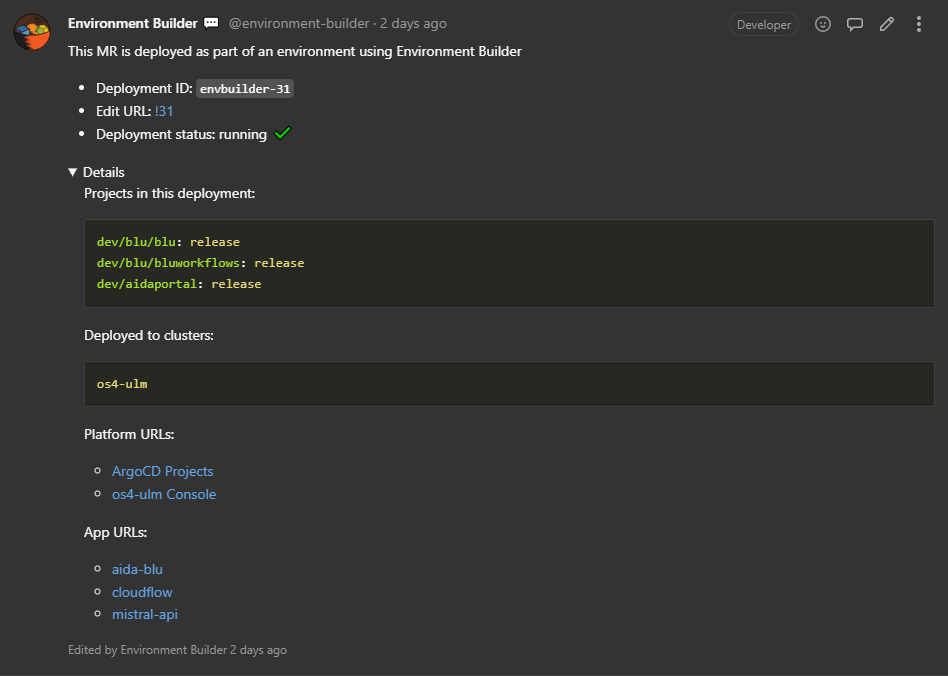
Pipeline creates comments in all related MRs with links and status:
README.md in the environment builder project
slides in devops-insights repo